SkyshipsWiki

Skyships Cargo Run: How to Deliver to the Courier

Last updated:

A Cargo Run in Skyships sends you to a designated Courier. Read the destination in your contract, then follow its marker to make the delivery.

Skyships official artwork
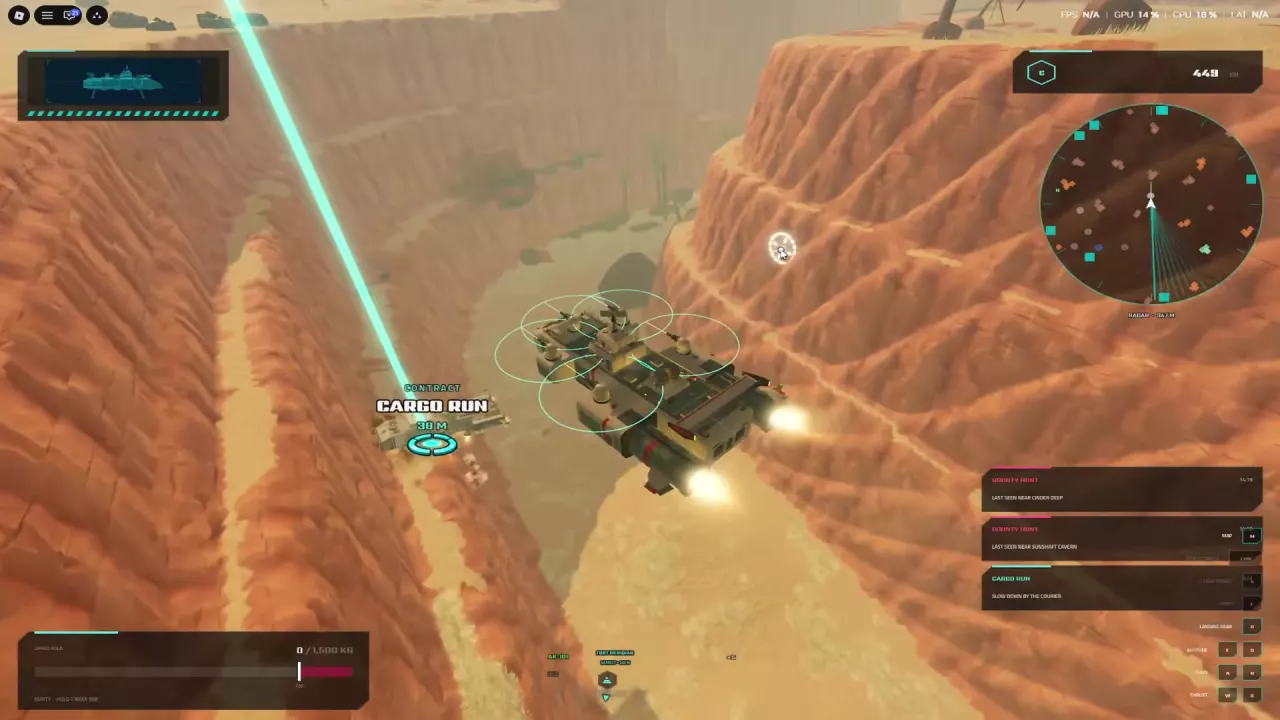
A ship approaching the Cargo Run marker beside a Courier in a canyon

Read the Assigned Courier and Destination

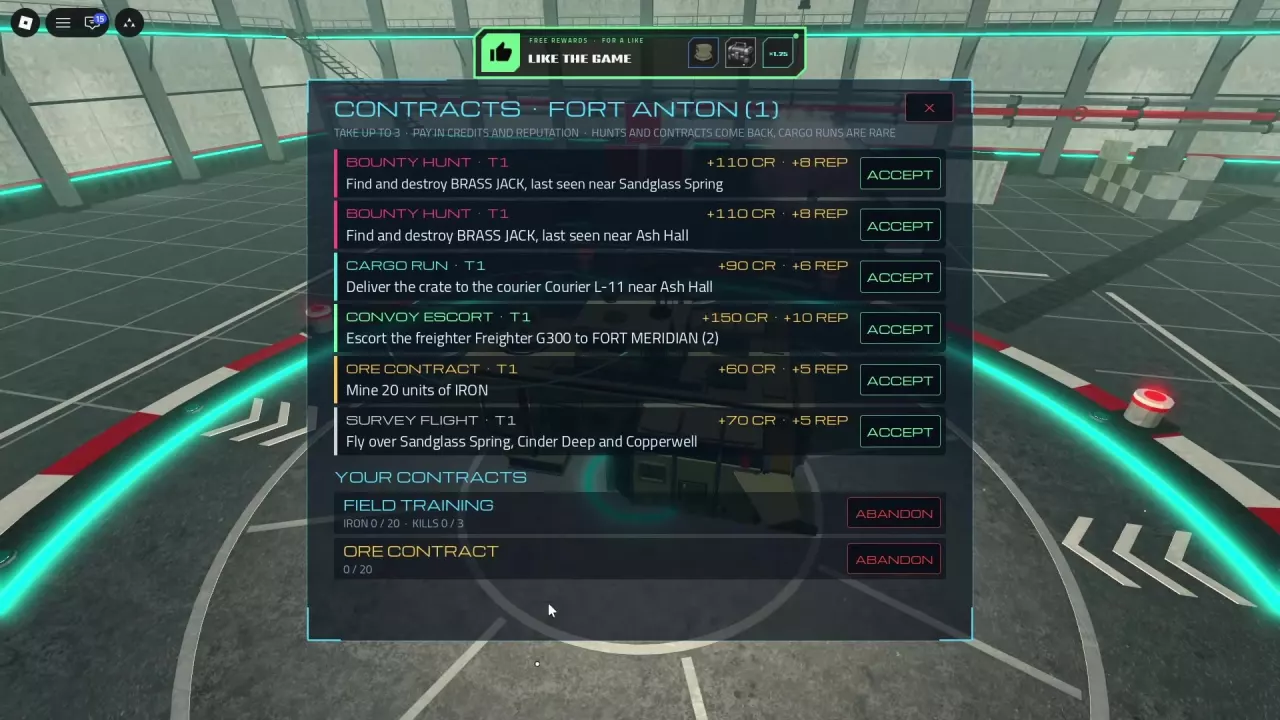
At a port, open Quests or Contracts, select a Cargo Run, and choose ACCEPT. You can hold up to three active contracts. Check the listing for its recipient, destination, and reward before leaving port.

For example, one Fort Anton T1 Cargo Run asks you to deliver a crate to Courier L-11 near Ash Hall. Follow the destination assigned to your own contract. Cargo Runs are less common than recurring hunts and other contracts.

See the contracts guide for other objectives and contract management.
Follow the Marker and Approach Slowly

  1. Leave port and follow the Cargo Run marker toward your assigned Courier.
  2. Slow down beside the Courier and move close to it.
  3. Continue your approach until the handover and completion messages appear.

One run departing Fort Meridian leads into the Red Desert canyon. Your own marker identifies where to go. For help reading the map and finding ports, see the map and docking guide.

A ship approaching the Cargo Run marker beside a Courier in a canyon

Confirm the Handover and Reward

Look for “Cargo handed over” and the completion message, then check the reward paid for your contract.

The Fort Anton T1 delivery to Courier L-11 lists 90 CR and 6 REP. A separate run departing Fort Meridian paid 220 CR. Check your own listing for its reward.