SkyshipsWiki

Skyships Wiki

Last updated:

Skyships is a Roblox game where you pilot armed flying ships, mine ore, and complete contracts across a world of canyons and ports. This Wiki covers ship progression, weapon unlocks, resource values, cargo storage, and combat.

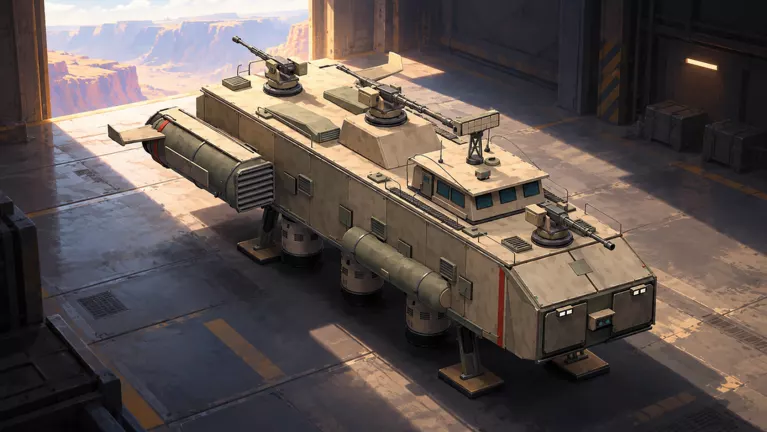
Skyships official artwork

Game overview

Genre
Adventure
Visits
479K+
Favorites
15K+
Creator
Rusty crafts
Release date
2026-10-22
Game updated
2026-11-07

Codes

No codes are currently listed.

The full collection

Explore codes & rewards

Browse all listed codes, check rewards and requirements, and follow the redemption guide.

Getting Started

Getting Started

Skyships Beginner Guide: Training and Your First Resource Runs

  1. Practice flight and mine Iron. Follow the training prompts for climbing and descending, then collect ore from the marked deposit.
  2. Return to Fort Anton. Follow its marker and complete docking at the platform.
  3. Finish the training bounty. Follow the assigned target marker and defeat the target to receive the M14 14mm MG blueprint.
  4. Build and equip the M14. Return to port, construct the training weapon, and fit it to a compatible light-gun mount.

After training, make nearby Iron or Copper runs. Bring the haul back to port, reserve materials for your next build or research, and sell the surplus for Credits.
Skyships PC Controls and Hull Stress Warnings

  • W/S: control thrust.
  • A/D: turn.
  • E/Q: ascend and descend.
  • G: toggle landing gear.

Reduce speed when a Hull Stress or structural-stress warning tells you to slow down. Keep clear of terrain: collisions can damage your hull.

Ships & Research

Ships & Research

Skyships Ships: Tiers, Classes and Progression Branches

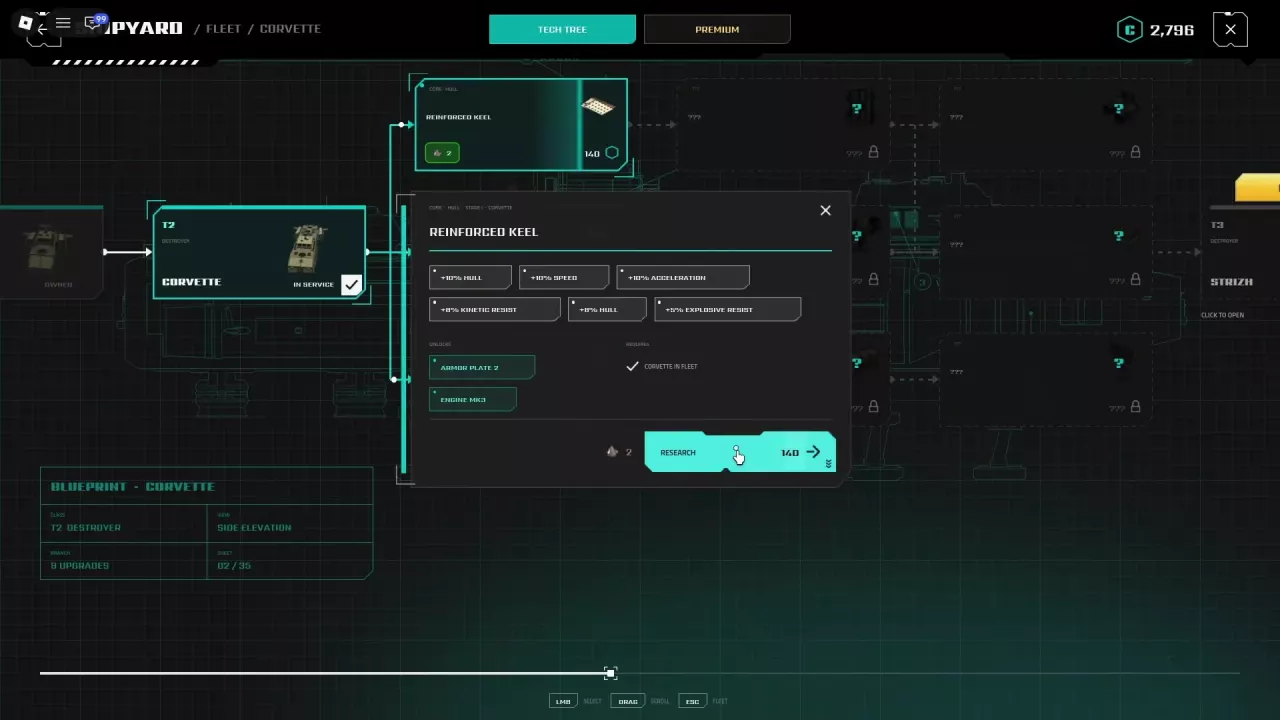
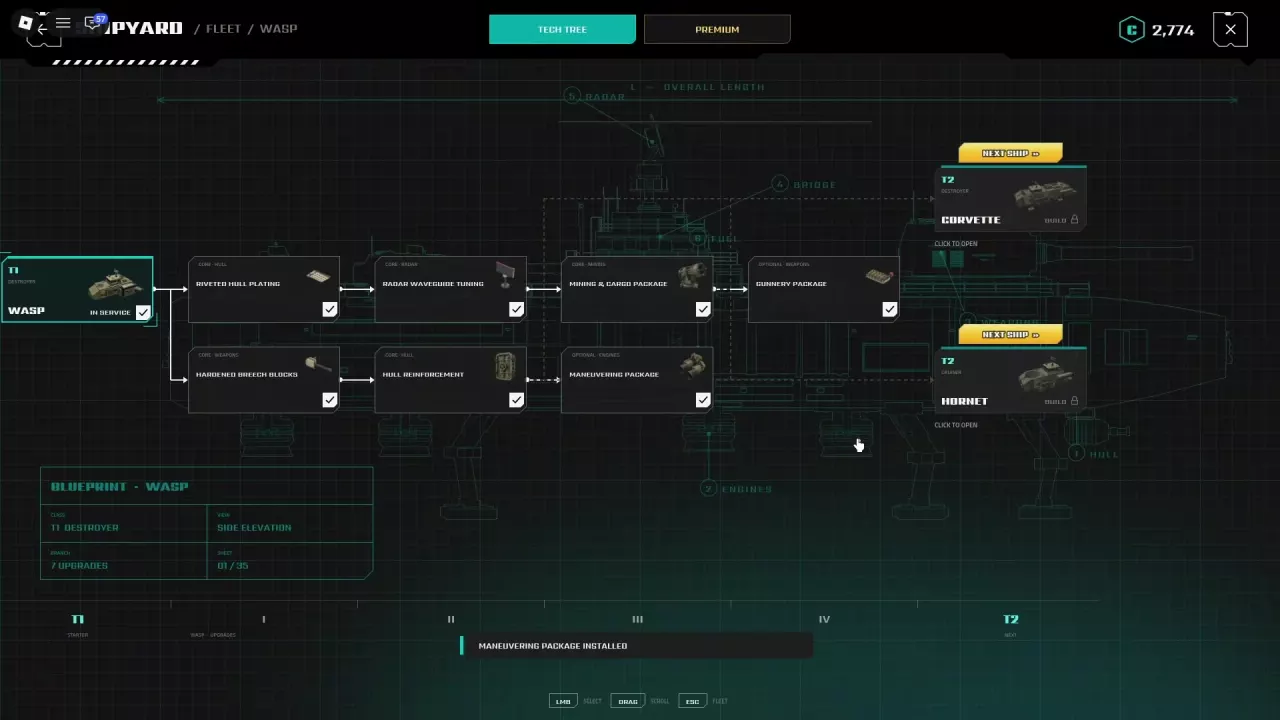
Wasp’s Tech Tree with Corvette and Hornet as its two next-ship branches.

Wasp is a T1 Destroyer with two T2 branches:

Next ship Class Listed price
Corvette T2 Destroyer 500 CR
Hornet T2 Cruiser 500 CR

Choose Corvette to continue toward Strizh, a T3 Destroyer requiring 5,000 CR plus minerals through normal progression.

Completed research does not guarantee that the next ship's Build entry is unlocked. Inspect the target ship's requirements; its listed CR price is not the complete construction cost.

Skyships Mining Builds for Wasp, Corvette, Strizh and Berkut

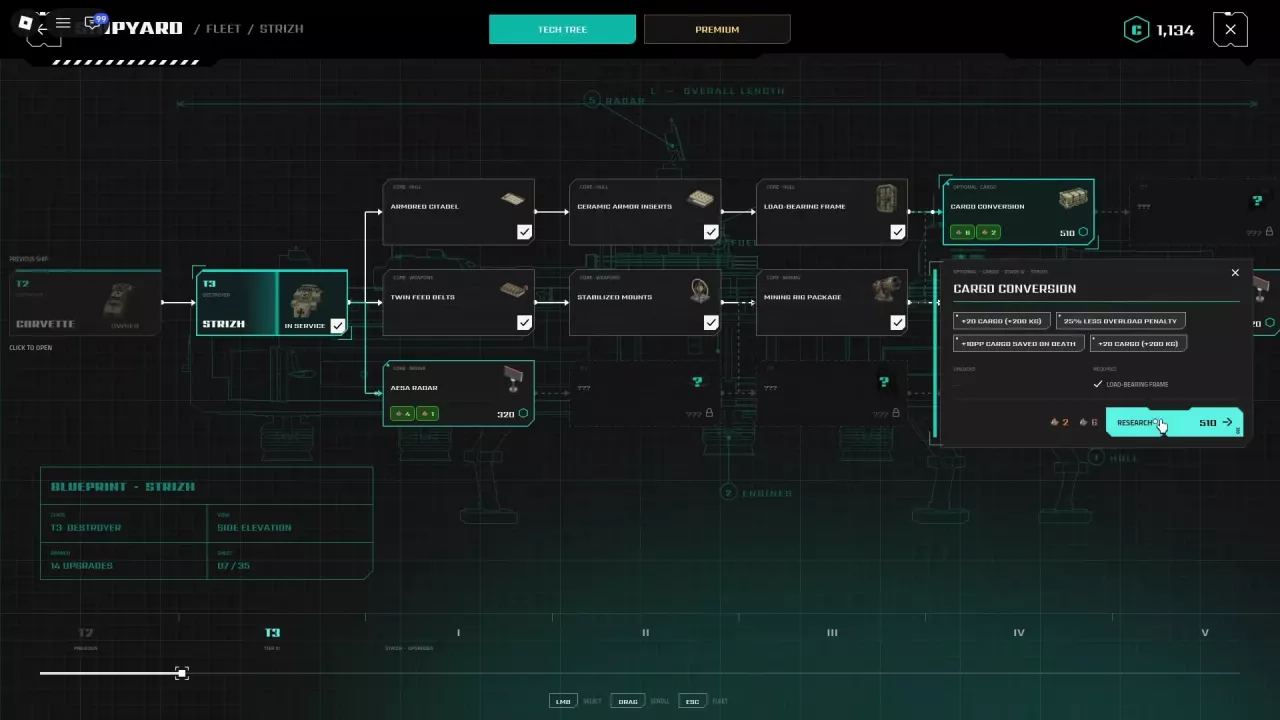
Strizh's Cargo Conversion after Load-Bearing Frame, with capacity and retention bonuses.
  • Wasp — improve gathering and hauling: follow Riveted Hull Plating → Radar Waveguide Tuning → Mining & Cargo Package for mining speed, reach, cargo capacity, and overload improvements.
  • Strizh — carry more with less overload penalty: complete Load-Bearing Frame → Cargo Conversion. It adds 200 kg, reduces the overload penalty by 25%, and increases cargo retained on death by 10 percentage points.
  • Berkut — protect valuable loads: complete Sealed Compartments → Protected Cargo Vault for 200 kg more capacity and 10 percentage points more cargo retained on death.

The 20 cargo units shown for these capacity bonuses equal 200 kg. Retention bonuses increase the share saved on death; they do not set final retention to 10%.

Weapons & Blueprints

Weapons & Blueprints

Skyships Weapons: Gun Classes, Unlocks and Blueprint Sources

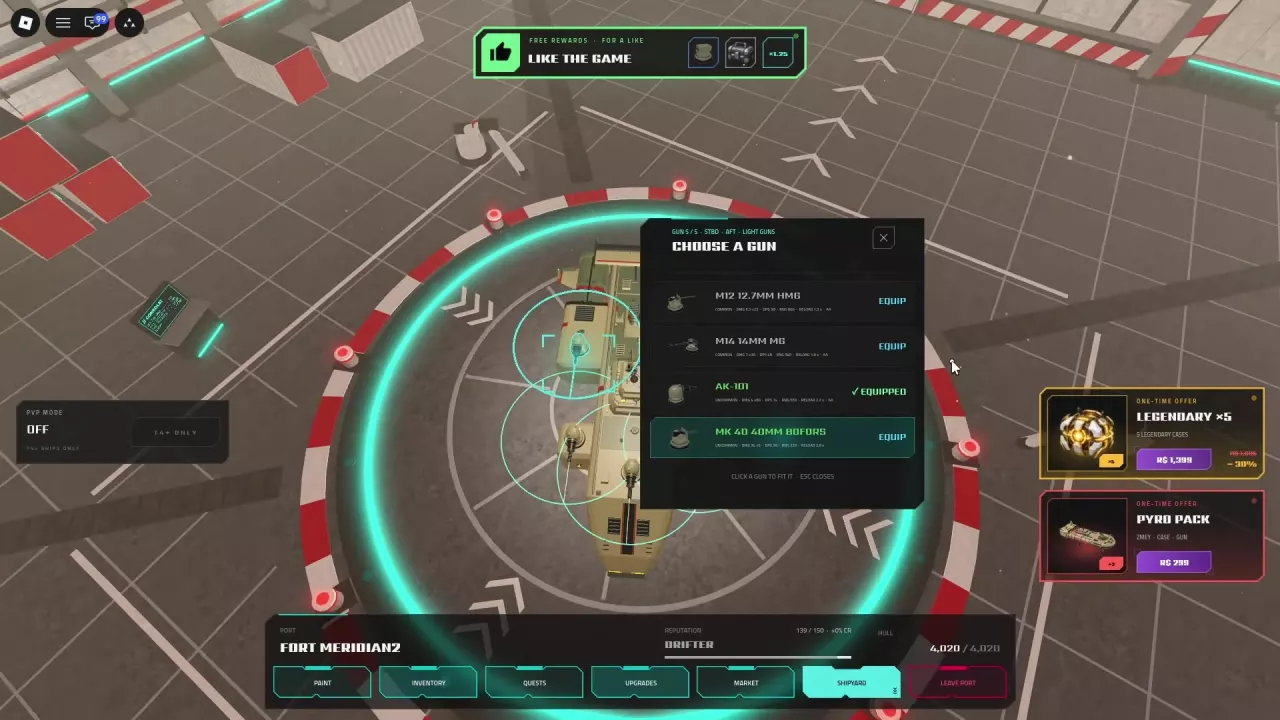
Choose a Gun menu for a Light mount, with AK-101 equipped and other guns available to equip.

Hardened Breech Blocks in Wasp's Tech Tree costs 40 CR and requires Wasp in your fleet. It unlocks AK-101, M20 20mm Twin, and XM12 Rocket Pod; unlocking is separate from building and fitting a finished weapon.

Match the weapon to the selected mount: M14, AK-101, and MK 40 40mm Bofors are Light weapons. FK-88 88mm Flak is Medium and needs a compatible Medium mount.

How to Build and Equip Weapons in Skyships

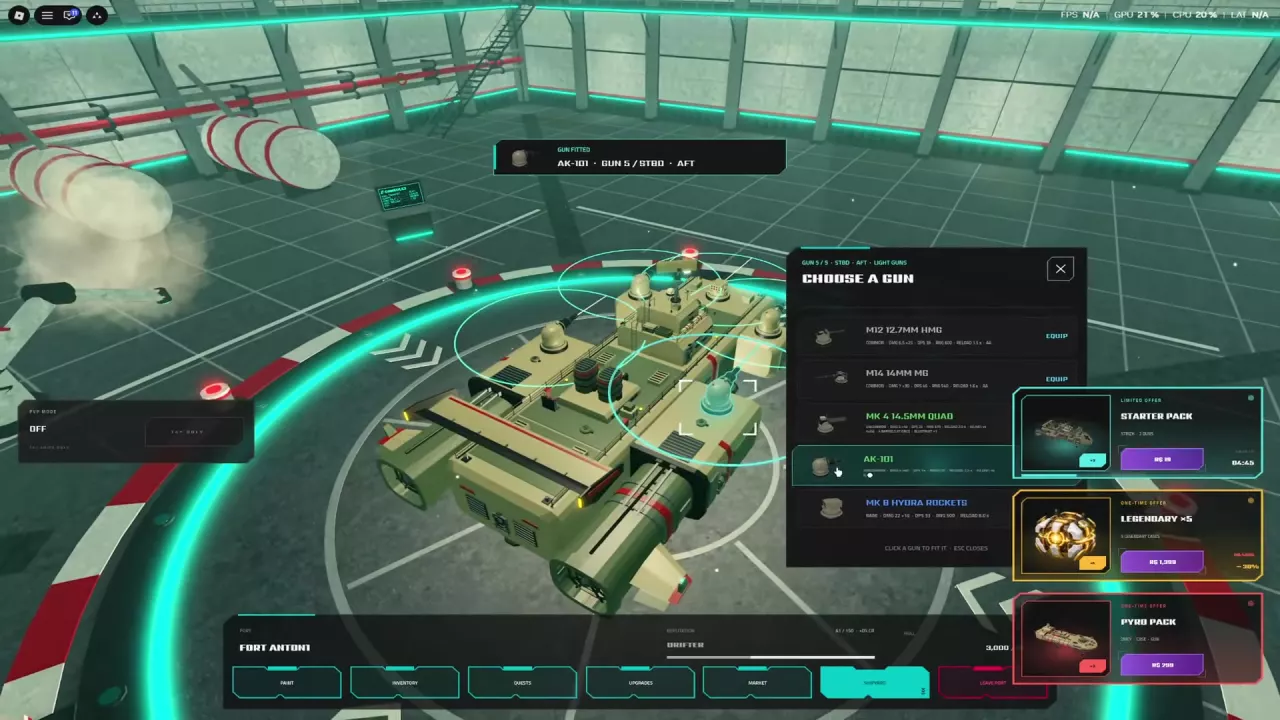
A light-gun mount menu and Gun Fitted confirmation for an AK-101

With the M14 14mm MG blueprint and 12 Iron in storage:

  1. At port, open Market → Blueprints → My Blueprints.
  2. Select M14 14mm MG and choose Build.
  3. In the docked ship view or Shipyard, click a compatible Light Guns mount and choose Equip beside the M14.
  4. Look for Gun Fitted or Equipped to confirm installation.

The 12 Iron requirement applies to the M14. Building a weapon and equipping it are separate actions.

Early Weapon Picks

Early Weapon Picks

Skyships Early PvE Weapon Tier List

For early PvE, prioritize accessible weapons that can reach your target:

  • S — M14 14mm MG: the training blueprint makes it the first pick for getting started.
  • A — MK 8 Hydra Rockets: a free damage-focused alternative once you have the like-reward unlock and a compatible Light mount.
  • A — AK-101: a practical alternative after completing its Wasp research unlock.
  • B — MK 40 40mm Bofors: a situational firepower choice for players who already own Starter Pack and accept closer engagement distances.

These tiers weigh early access and practical use. Favoring M14 for reach does not mean it has the longest range in the game.

Resources & Mining

Resources & Mining

Skyships Resources: Ore Weights, Prices and Acquisition

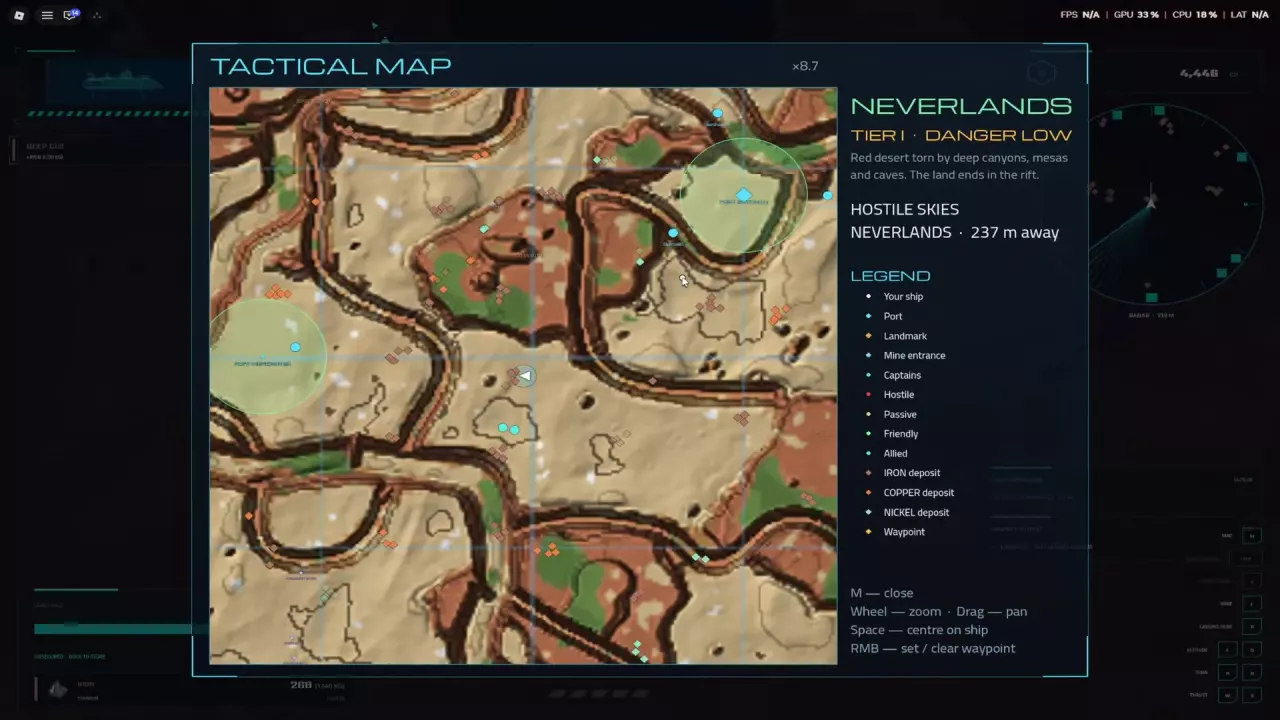
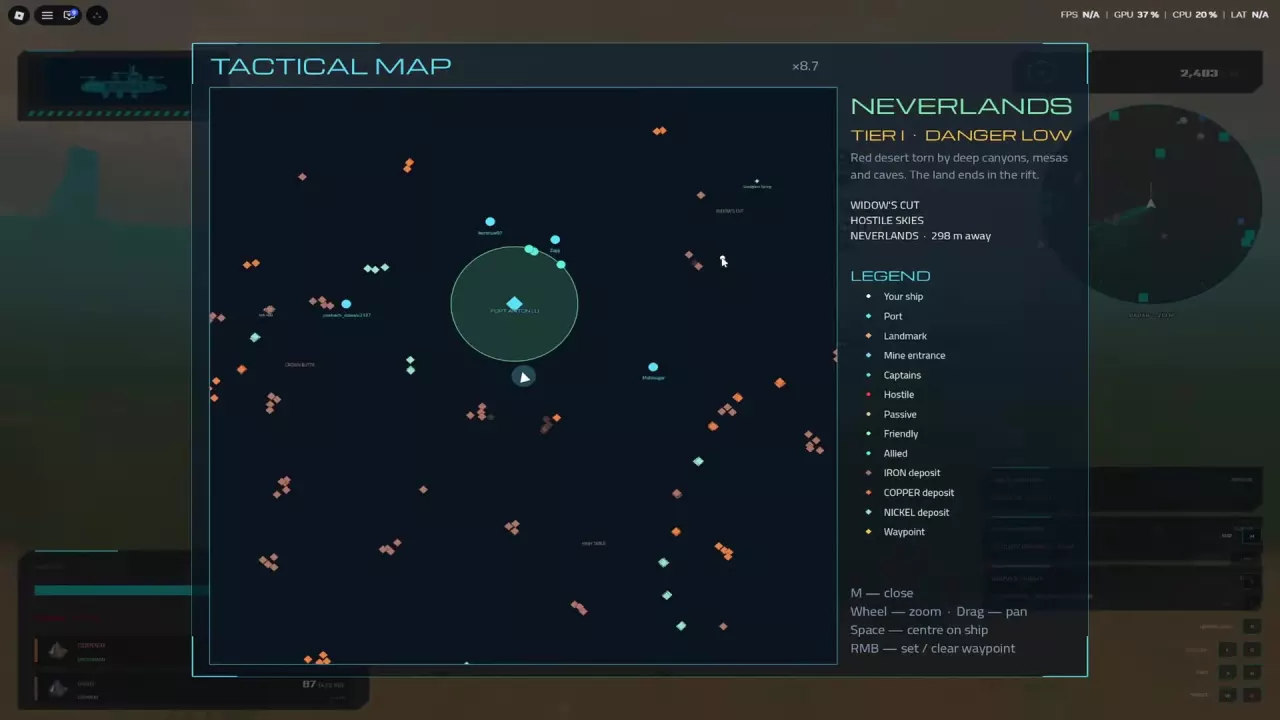
Tactical Map with Iron, Copper and Nickel deposit markers and waypoint controls.
Ore Weight per unit
Iron 5 kg
Copper 7 kg
Nickel 12 kg
Silver 10 kg
Tungsten 19 kg

Iron, Copper, and Nickel have distinct deposit markers on the Tactical Map. Iron is available near Fort Anton. Silver and Tungsten are also mineable ores.

How to Mine in Skyships and Fix Laser Warnings

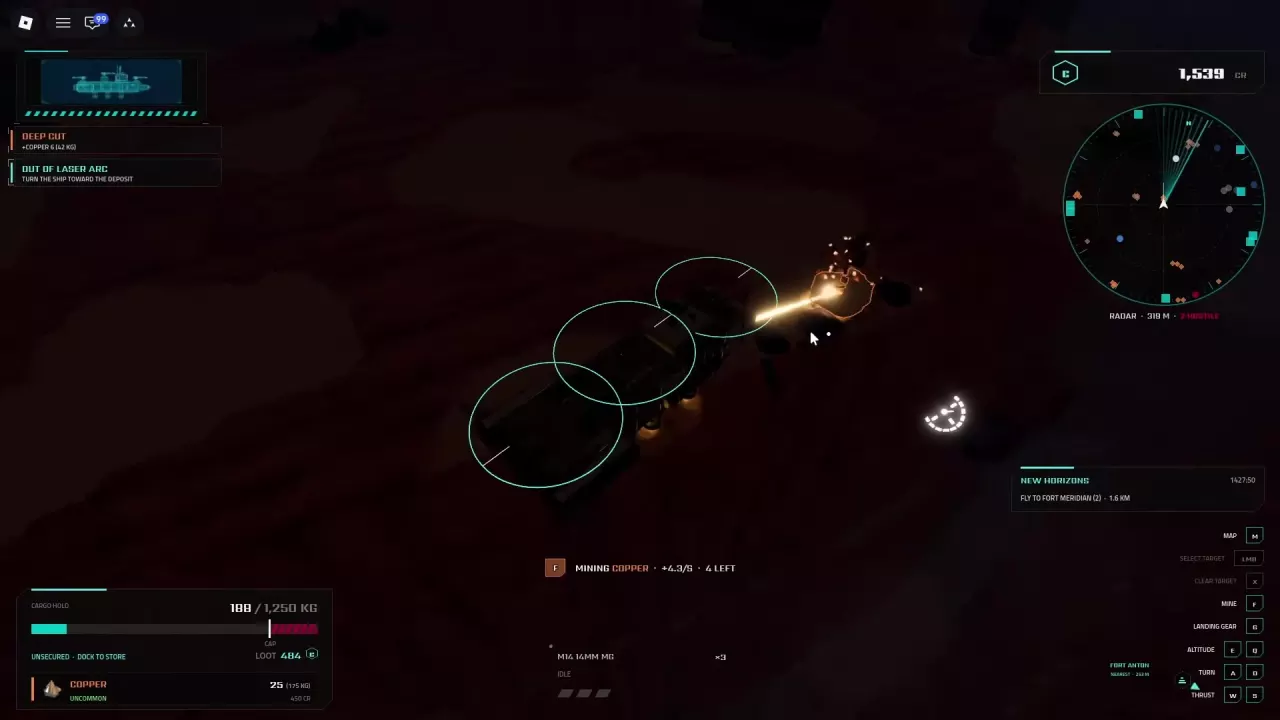
A ship mining a Copper deposit with the collection rate and remaining amount displayed.

Fly close to a deposit, point your bow toward it, and hold F. Collected ore enters your ship's cargo hold.

Match the laser warning to the fix:

  • OUT OF LASER ARC: turn the ship toward the deposit.
  • NO DEPOSIT IN RANGE: move closer to a mineable deposit, then hold F.
  • DEPOSIT DEPLETED: move to another deposit; the ore already collected stays in your hold.

Cargo & Credits

Cargo & Credits

Skyships Cargo and Storage: Capacity, Overload and Port Banking

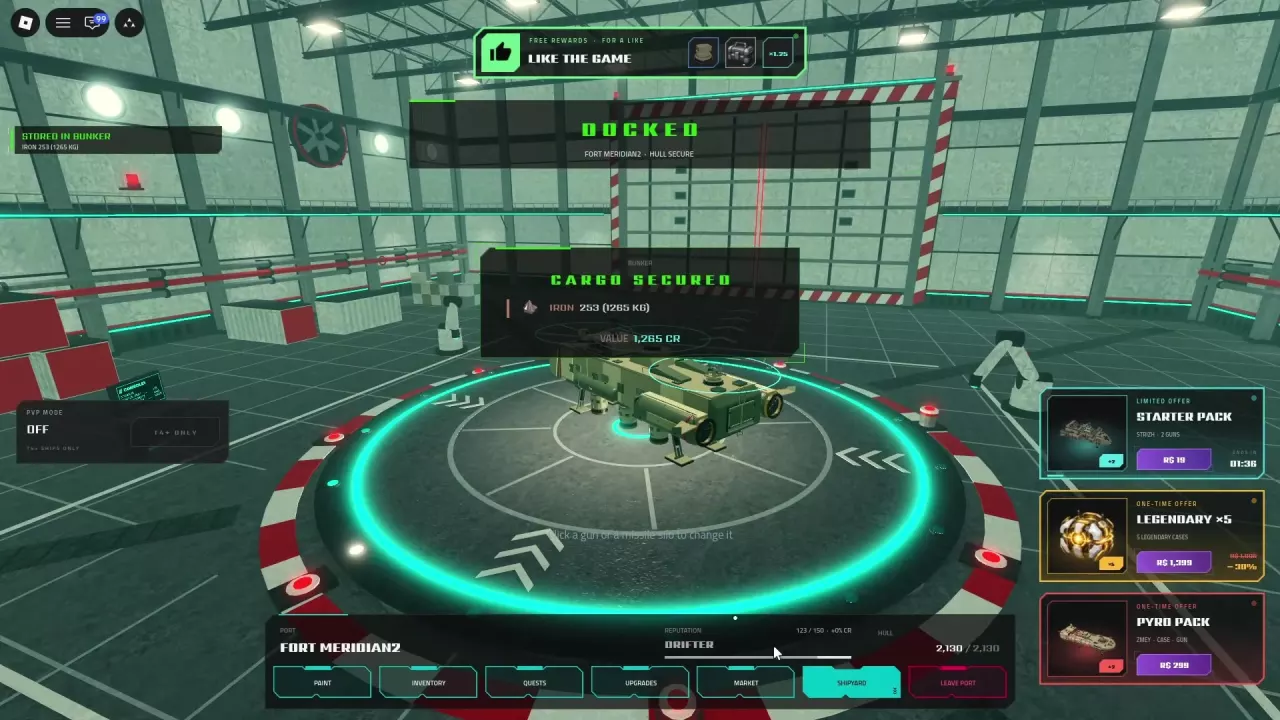
Cargo Secured and Stored in Bunker confirmations after docking with Iron
  • Capacity: use the kilograms displayed for your current ship and upgrades. For mixed cargo, multiply each ore's quantity by its weight per unit, then add the weights.
  • Overload: exceeding the displayed capacity slows your ship. Return to port when CARGO FULL or HOLD FULL appears.
  • Storage: complete docking and look for CARGO SECURED and STORED IN BUNKER. Unstored cargo remains aboard and is at risk if your ship is destroyed.
  • Selling: storage does not pay Credits. Use Market → Resources → SELL to convert stored resources into CR.

How to Earn Credits in Skyships and Choose Ore to Sell

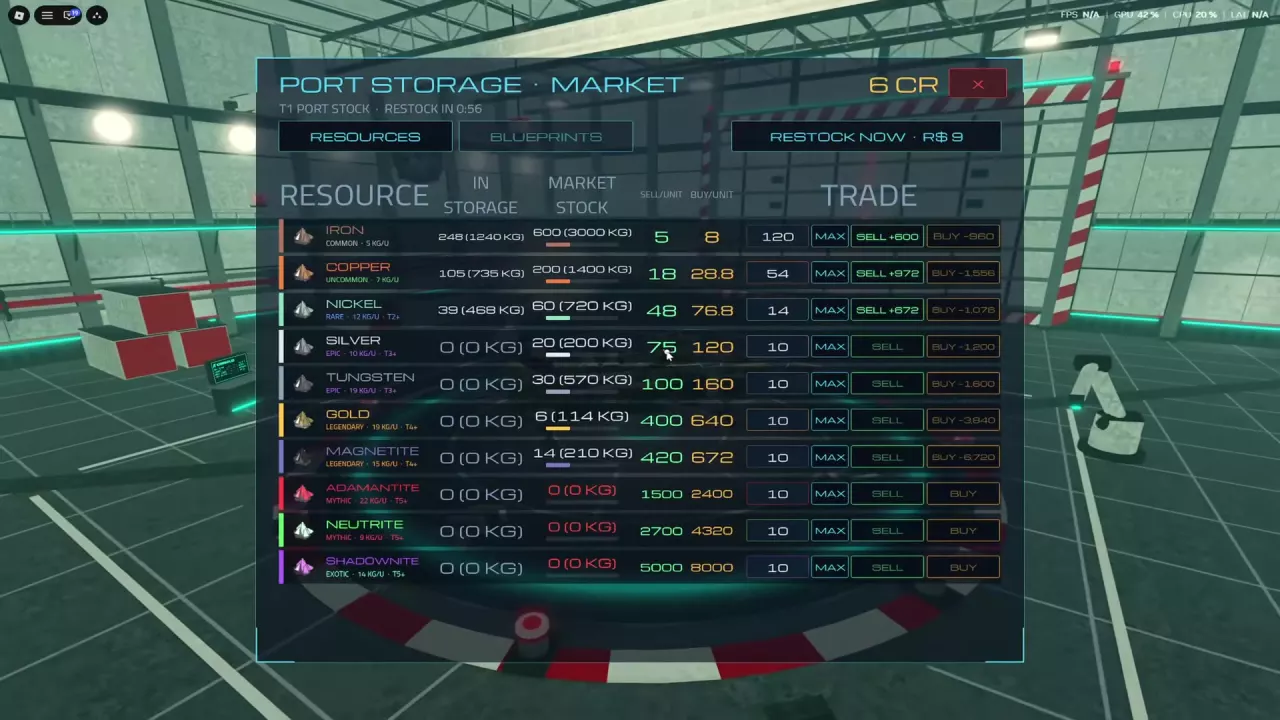
Port resource market with stored ore, trade quantities, and SELL buttons.

Mine nearby Iron or Copper → dock to store it → sell surplus through Market → Resources. Reserve your next research materials and add contracts that fit the same trip.

At the example port-market sell prices:

  • Copper: approximately 2.57 CR/kg, compared with 1 CR/kg for Iron.
  • Silver: 7.5 CR/kg, compared with approximately 5.26 CR/kg for Tungsten.

When deposits are similarly reachable, higher CR/kg makes better use of limited cargo space. Also weigh mining speed, travel distance, combat risk, and materials you need to keep; cargo value alone does not measure earning speed.

Contracts & Reputation

Contracts & Reputation

Skyships Contracts: Objectives, Rewards and Reputation

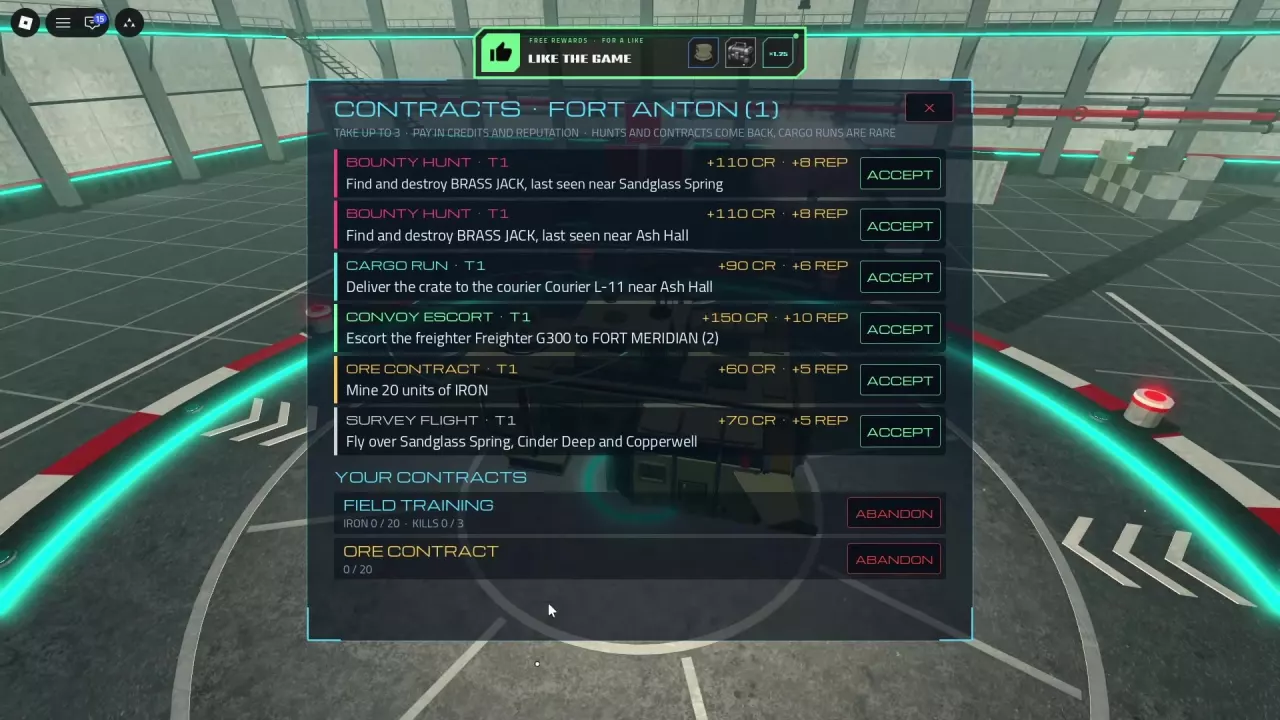
Fort Anton contract menu with ACCEPT buttons, active objectives and ABANDON controls.

Open Quests or Contracts at a port to accept up to three active contracts. Use YOUR CONTRACTS to track progress or choose ABANDON.

  • Ore Contract: the Fort Anton T1 offer requires mining 20 Iron and pays 60 CR + 5 REP. Take it before an Iron-mining trip.
  • Field Training: complete both 20 Iron and 3 enemy kills for a blueprint reward. Its kill requirement is separate from the Ore Contract.
  • Reputation: complete contracts that list REP to earn it alongside Credits; the amount belongs to the specific offer.

Skyships Cargo Run: How to Deliver to the Courier

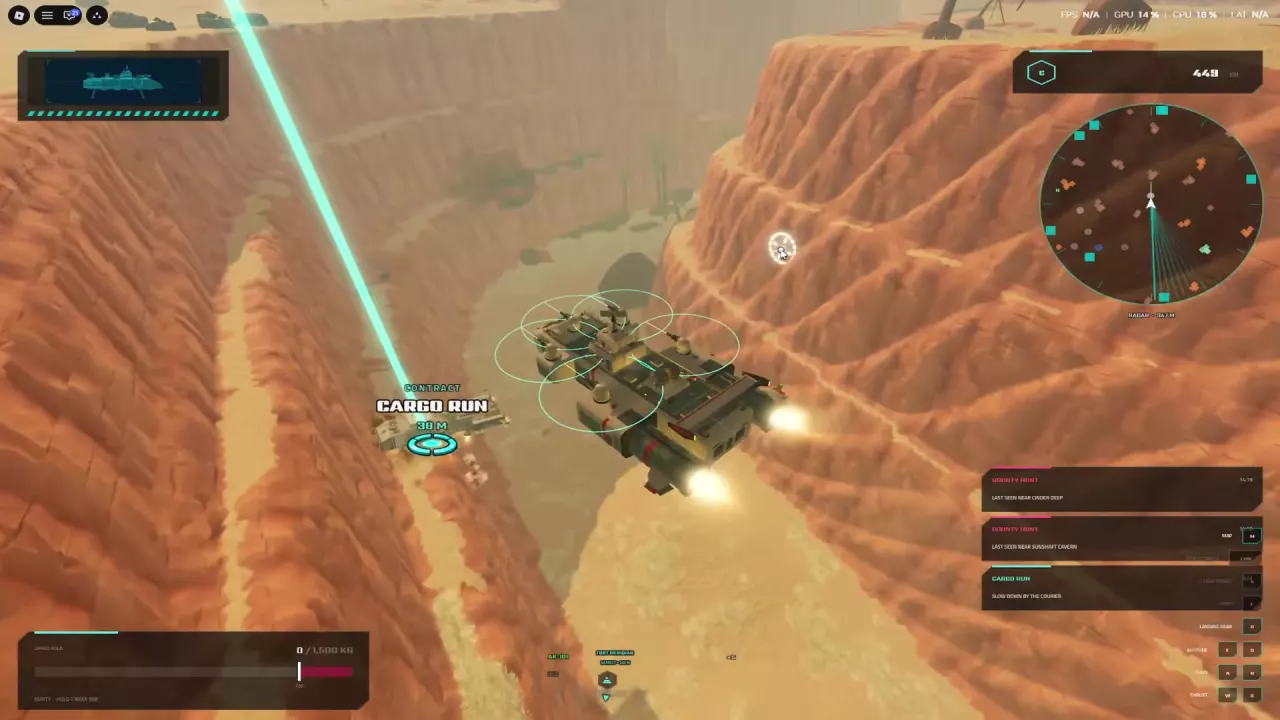
A ship approaching the Cargo Run marker beside a Courier in a canyon
  1. Follow your accepted Cargo Run marker to its assigned Courier.
  2. Slow down beside the Courier and move close until Cargo handed over and the completion message appear.

The Fort Anton T1 delivery to Courier L-11 near Ash Hall lists 90 CR + 6 REP. A separate completed run departing Fort Meridian paid 220 CR. Use your contract's own destination and reward.

Map & Ports

Map & Ports

Skyships Tactical Map, Ports and Docking Guide

Skyships Tactical Map showing Fort Anton, ore deposits and the map legend.
  1. Press M to open the Tactical Map. Scroll to zoom, drag to pan, and press Space to center on your ship.
  2. Right-click a destination to set or clear a waypoint. Close the map with M and follow its direction and distance indicator.
  3. Approach the port platform and use the Enter Port prompt. Hold steady while Docking is active. During Fort Anton training, press Enter when prompted above the platform.

Fort Anton serves training, Fort Meridian is a T2 port and the New Horizons destination, and Fort Cedars supports resource-run returns.

Combat & Enemies

Combat & Enemies

Skyships Combat Guide: Targeting, Survival and Ship Recovery

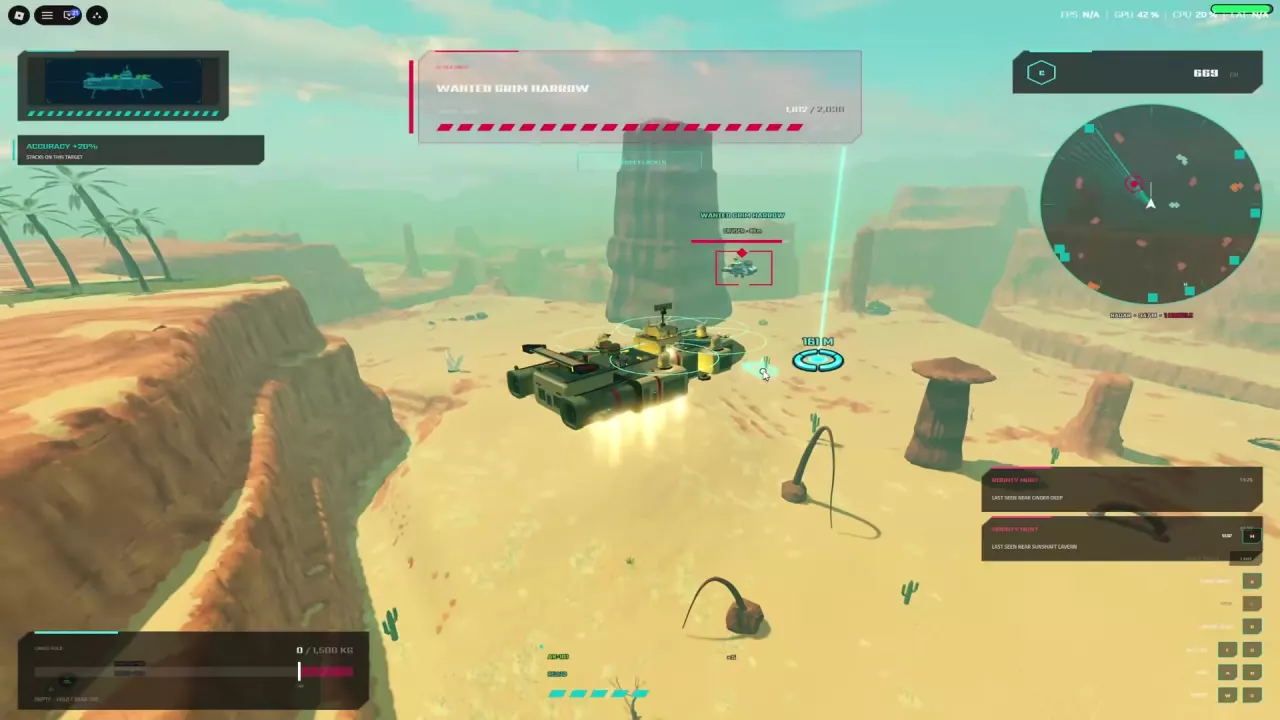
Accuracy +20% on the current Wanted Grim Harrow target during combat.
  • Select and track: left-click an enemy. Move closer for OUT OF RANGE, turn toward it for TARGET OUT OF VIEW, and press X to clear the target.
  • Survive incoming missiles: maneuver while watching your hull. Reduce speed when a hull-stress warning tells you to slow down.
  • Recover after destruction: choose Revive for 49 Robux, or wait for the To Hangar countdown to return free with free repairs. Repairing the ship does not guarantee restoration of all carried cargo.

Skyships Enemy Ships: Classes, Targets and Encounter Roles

  • Training Raider — Destroyer: kills can advance an active Field Training kill objective.
  • Raider Hornet — Cruiser: its kills can also advance that objective; training progress is not restricted to enemies named “Training.”
  • Marauder Gyurza — Missile Carrier: watch for incoming-missile warnings and leave room to maneuver.
  • Kuvalda — T4 Cruiser NPC: account for its tier before committing to a fight.

Event Signals

Event Signals

Skyships Event Signals: Crash Site and Meteor Strike

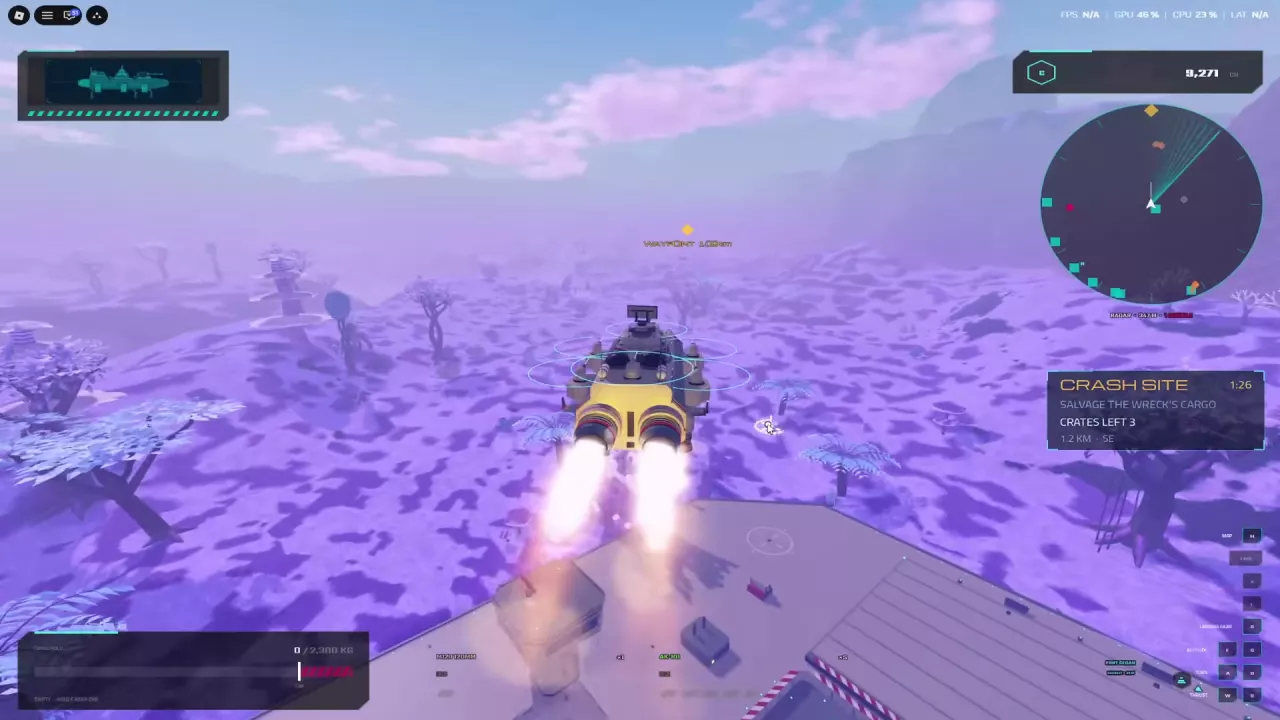
A ship follows a waypoint while the Crash Site panel displays its objective, remaining crates, distance and countdown.
  • Crash Site: salvage the wreck's cargo before the countdown expires.
  • Meteor Strike: recover meteor ore before the claim-jumpers.

With an active signal, follow its direction and distance indicator. Watch the countdown and remaining crate count; the count describes what remains in that event.

Hostile ships can interrupt either trip, and incoming missiles can threaten a Crash Site approach.

Cases & Rewards

Cases & Rewards

Skyships Cases: Sources, Prices, Odds and Opening

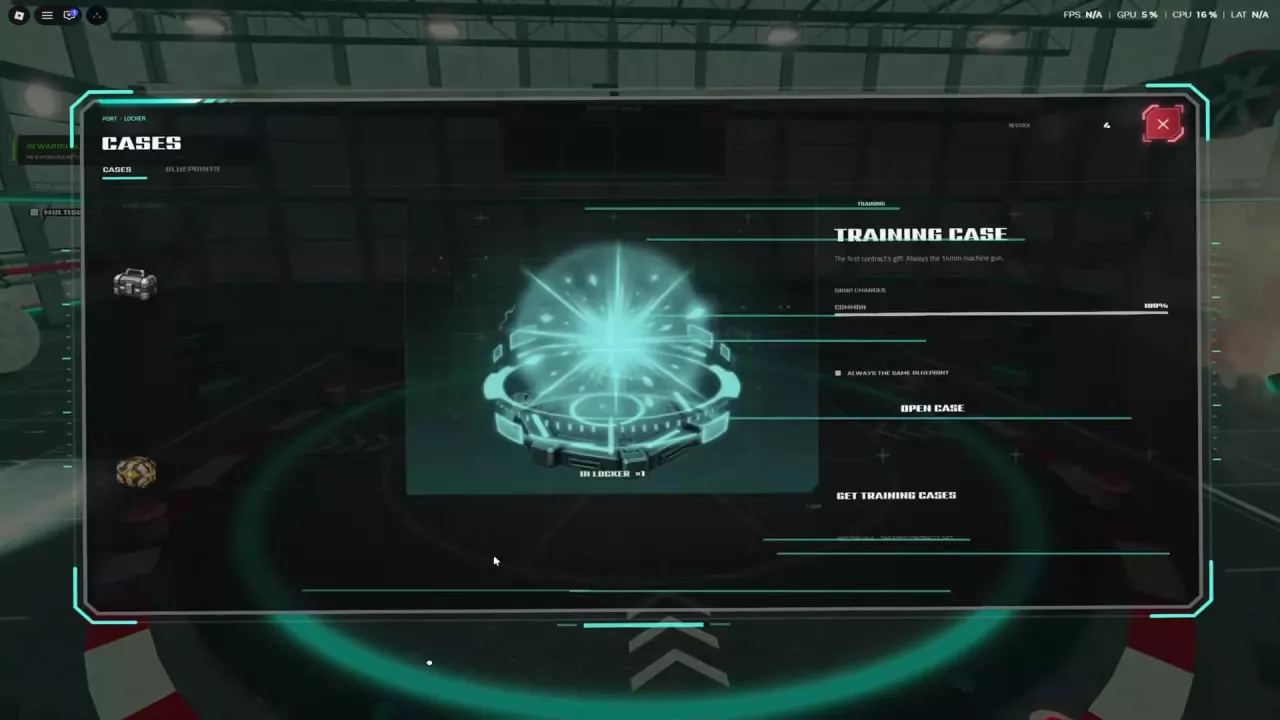
Training Case selected in the Locker Cases tab, with the Open Case button visible.

At port, open Locker → Cases, select a case you own, and press OPEN CASE. Wait for the final blueprint reveal; scrolling cards are previews.

Case Blueprint quality odds
Common 80% Common; 20% Uncommon
Rare 25% Uncommon; 65% Rare; 10% Epic
Legendary Case in Legendary ×5 65% Epic; 35% Legendary, with one blueprint per case

These are quality probabilities, not individual weapon drop rates.

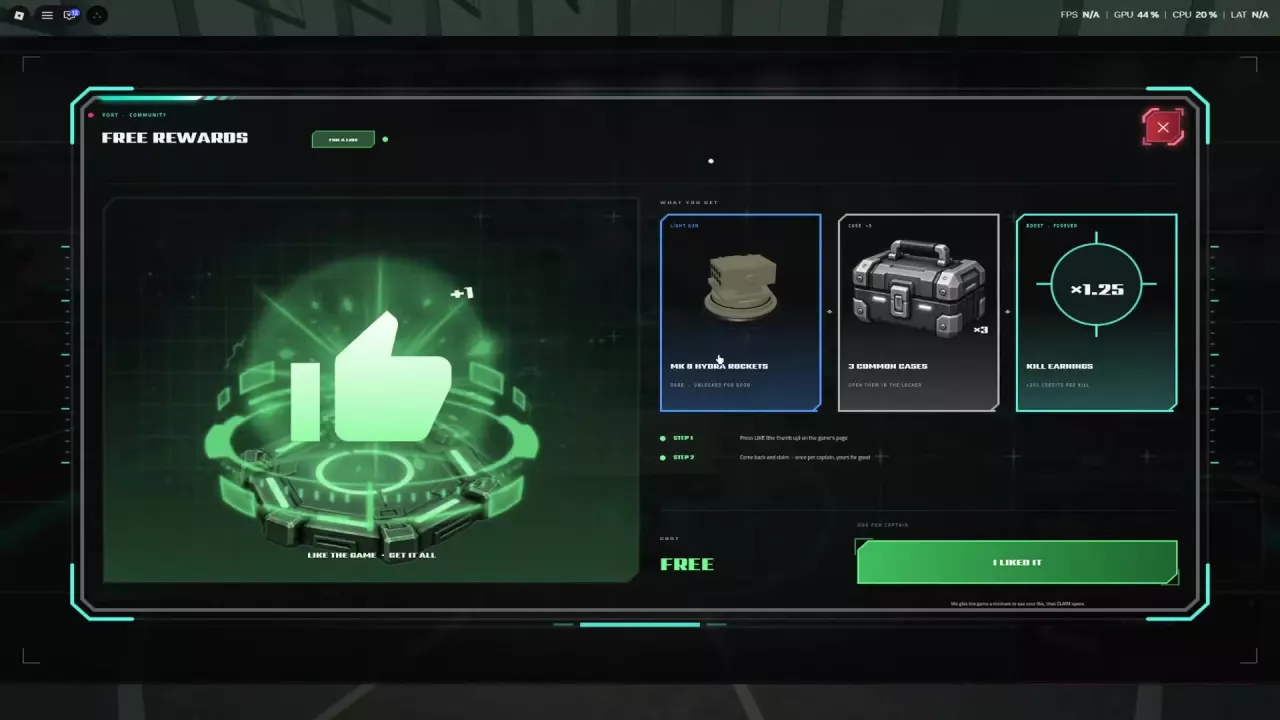
Skyships Free Like Reward: Hydra Rockets, Cases and Kill Earnings

Free Rewards screen showing the like reward and I LIKED IT button

At a port, open LIKE THE GAME, like Skyships on its Roblox game page, then return to claim Free Rewards. Each captain can claim once for:

  • Three Common Cases.
  • A permanent MK 8 Hydra Rockets unlock. Select a compatible Light mount and use Equip to install it.
  • Permanent ×1.25 kill earnings. This multiplier applies to kill earnings, not ore sales or contract payouts.

Passes & Packs

Passes & Packs

Skyships Game Passes and Packs: Prices, Benefits and Choices

The three game passes provide permanent benefits:

  • Trader Pass — 999 Robux: 20 market listings and 10% commission on applicable sales. Ship-sale commission remains 30%.
  • More Fleet Members — 99 Robux: up to eight pilots in every fleet you lead.
  • Case Skip — 29 Robux: skip case-opening animations and go straight to the result.

The limited-time Starter Pack offer costs 19 Robux and includes Strizh, MK 40 40mm Bofors, and FK-88 88mm Flak. Bofors is Light; FK-88 requires a compatible Medium mount.

Updates

New Update

An event categorized as an item drop; further details are unspecified.

Recent articles

FAQ

What ship tier is required for PvP?

PvP requires a T4 or higher ship. Find PvP Mode in the port interface and use Enable when your ship meets the requirement. The gate applies to ship tier, not player level. See the combat guide for targeting, survival, and recovery.