
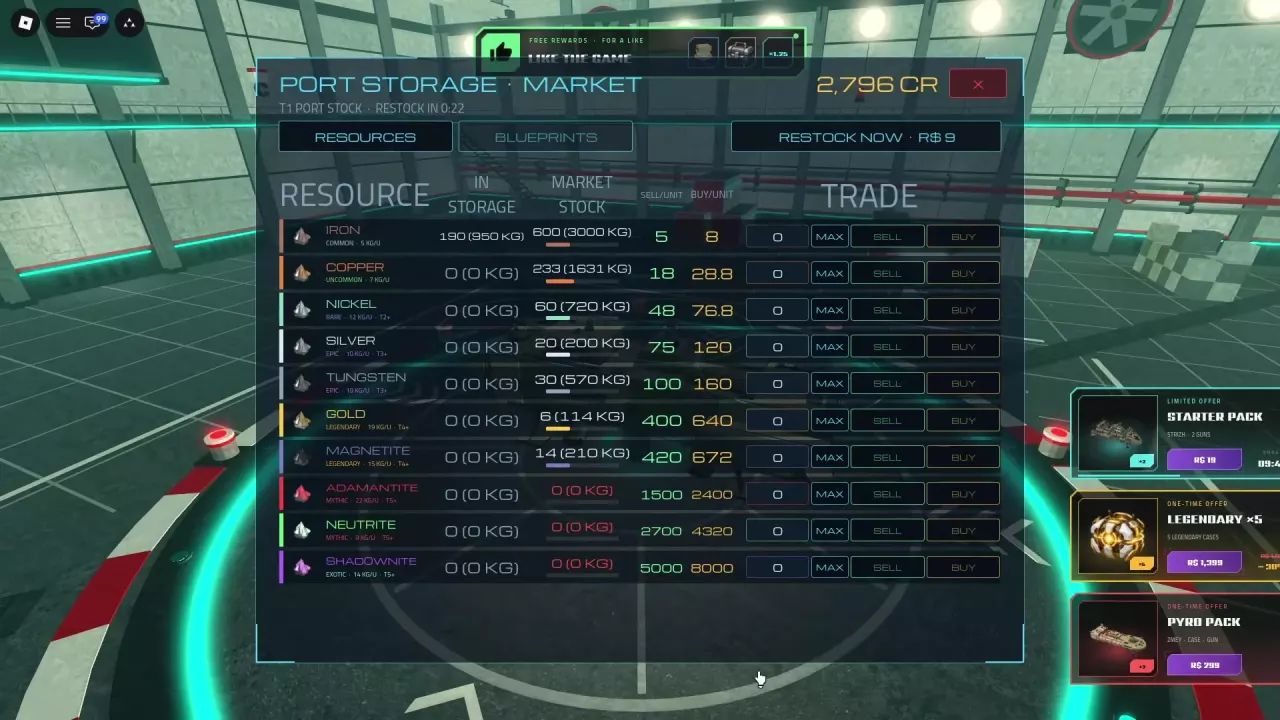
Skyships Resource Market: How to Buy, Sell and Restock
Learn how to buy and sell resources in the Skyships resource market, read storage and stock, calculate prices, and find restock options.
Last updated:
Bring your mined resources back to port before taking them into another fight. This guide explains how much your ship can carry, what happens when it is overloaded, and how to secure cargo in the Bunker.
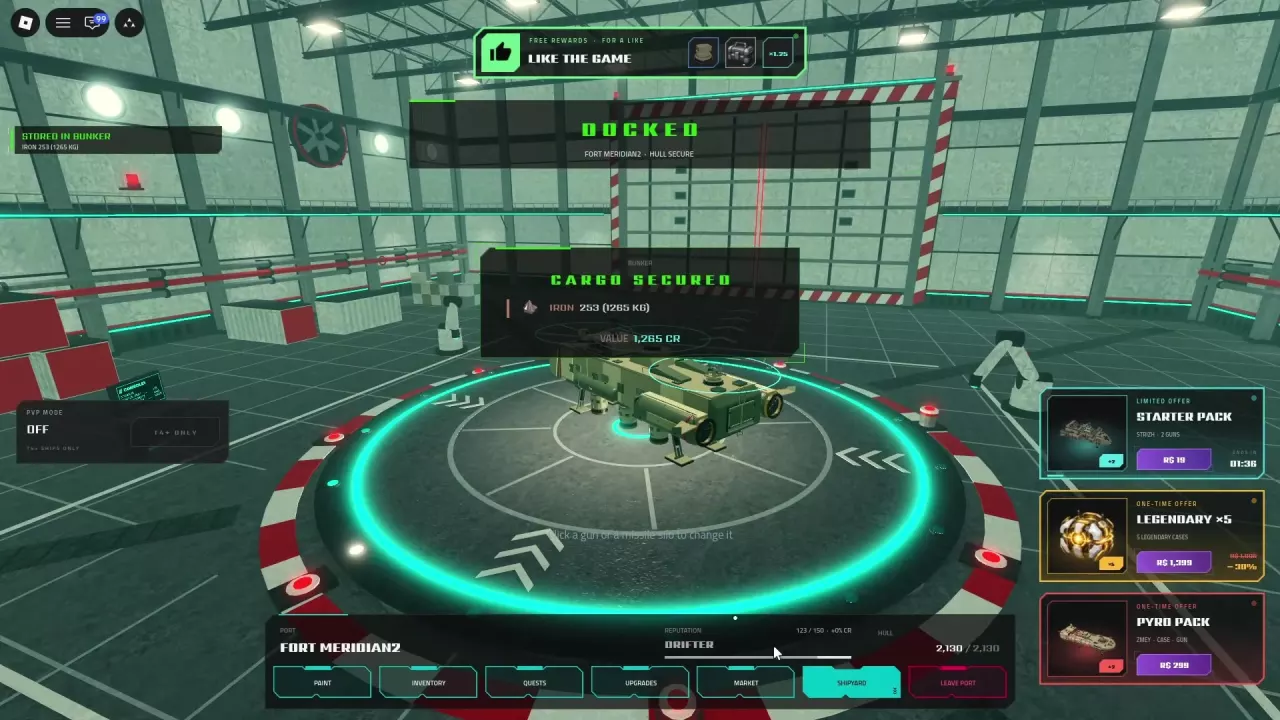
Cargo is weighed in kilograms. You can exceed your ship’s displayed capacity, but overloading slows it down. Dock and wait for CARGO SECURED and STORED IN BUNKER to move your load into storage; selling it for Credits is a separate action. Ship-specific research can increase capacity and cargo retained on death.
| Place or resource | What it means |
|---|---|
| Cargo Hold | Resources aboard your ship are unsecured until you dock and store them. |
| Bunker | Your personal storage receives the cargo when docking is complete. |
| Resource Market | Sell stored resources or buy materials using the market’s available stock. Your stored quantity determines what you can sell; market stock determines what you can buy. |
| Credits (CR) | Currency received when you sell resources. A cargo value shown on storage is not itself a sale. |
See the resource market guide for trading and restocking, or how to earn Credits for choosing what to sell.
Use the capacity displayed for your current ship and its upgrades. For mixed cargo, multiply the quantity of each resource by its weight per unit, then add the results:
Total cargo weight = sum of each resource’s quantity × weight per unit.
To find how many whole units of one resource fit within the displayed capacity, subtract your current cargo weight from capacity, divide the remaining kilograms by that resource’s weight per unit, and round down. If the hold is already at or above capacity, zero additional units fit within that displayed capacity.
For example, Iron weighs 5 kg per unit. With 100 kg of room remaining, 20 Iron fits within capacity. Check the resource directory for other ore weights.
A load can exceed the displayed capacity, but the ship slows down when overloaded. Plan for a slower return if you collect more than the capacity shown on your hold.
When CARGO FULL or HOLD FULL appears, return to port and store the load. One ship configured with a displayed capacity of 1,250 kg carried 1,500 kg of Iron and displayed HOLD FULL; that figure applies to that configuration.
An empty hold after these confirmations means the cargo was stored; it has not been sold. For help finding a port, see the map and docking guide.
Cargo marked UNSECURED · DOCK TO STORE remains aboard and is at risk if your ship is destroyed. Combat loot placed in the hold is also unsecured. Store a valuable load before heading into another fight.
| Ship and research | Prerequisite | Cargo effects |
|---|---|---|
| Strizh — Cargo Conversion | Load-Bearing Frame | Adds 200 kg of capacity, reduces the overload penalty by 25%, and increases the share retained on death by 10 percentage points. |
| Berkut — Protected Cargo Vault | Sealed Compartments | Adds 200 kg of capacity and increases the share retained on death by 10 percentage points. |
The retention bonus adds to the share saved on death; it does not make the final retained share 10% or guarantee that the whole load survives. These effects belong to the specified ships. See ship upgrades for their research trees.
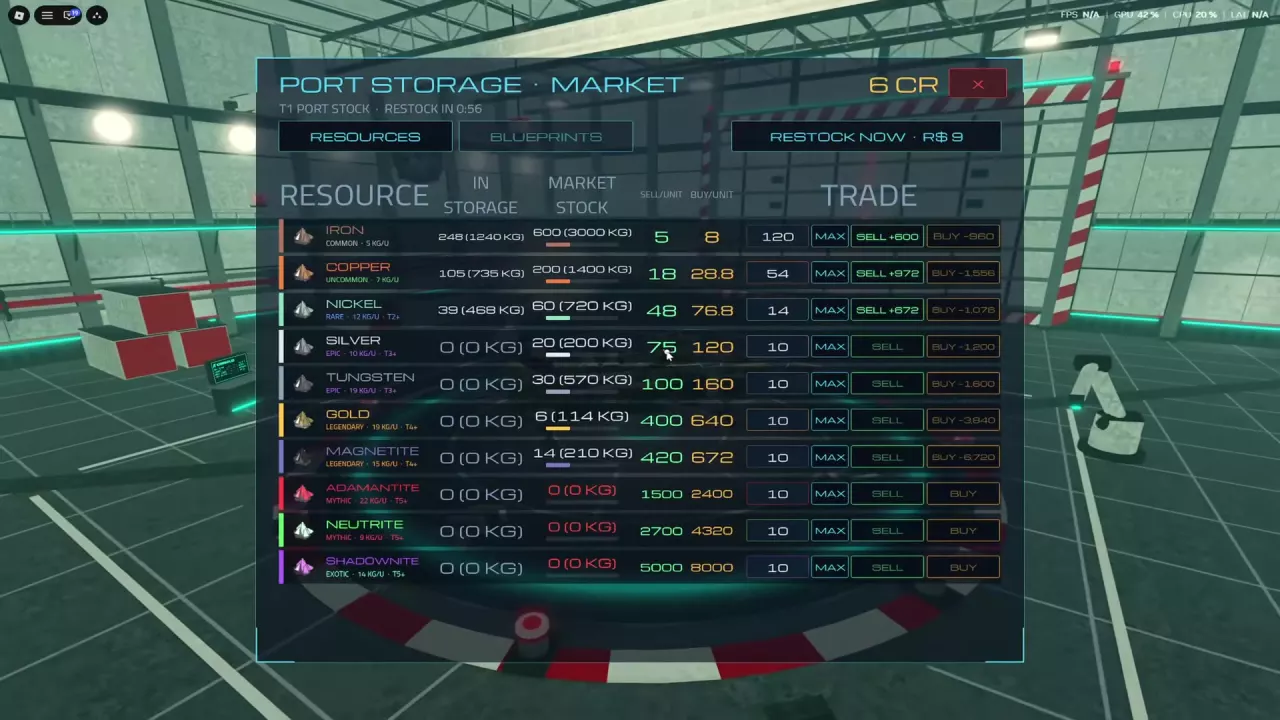
At port, open Market → Resources, choose the quantity to sell, and select SELL to receive Credits. Keep materials you need for upcoming research before selling the rest.
For buying and restocking, use the resource market guide. For choosing ore and other income activities, see how to earn Credits.
Learn how to buy and sell resources in the Skyships resource market, read storage and stock, calculate prices, and find restock options.
Earn Credits in Skyships by selling ore and completing suitable contracts. Compare all ten ores by CR/kg and choose what to carry in limited cargo space.
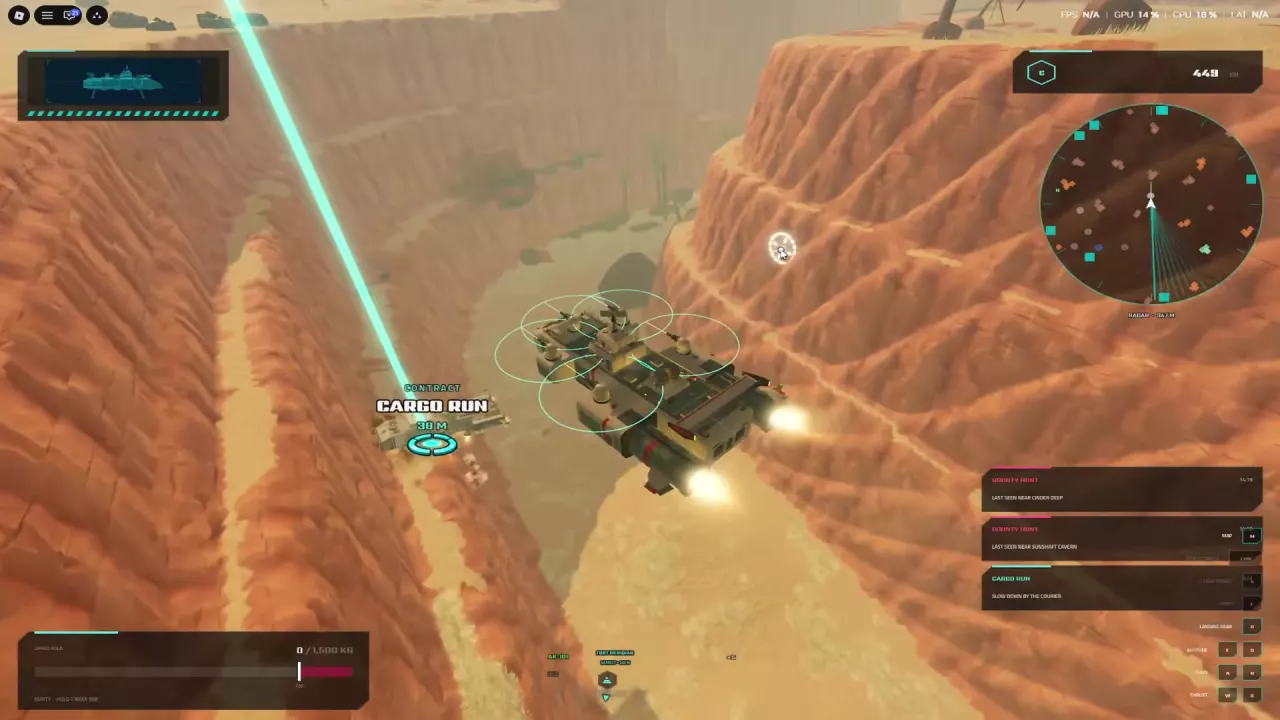
Complete a Skyships Cargo Run: follow the contract marker to your assigned Courier, slow down nearby, and confirm the cargo handover.
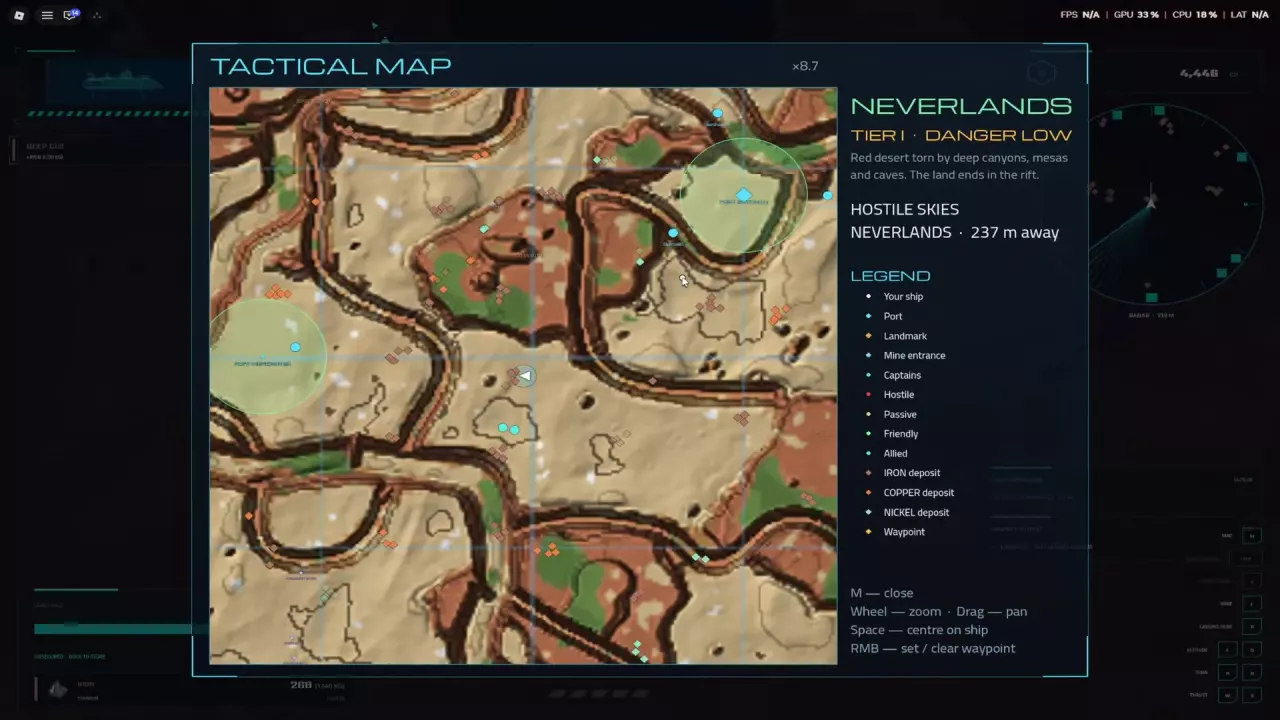
Compare ten Skyships resources by rarity, cargo weight and market price examples. Find early ore deposits and learn which materials to carry or keep.
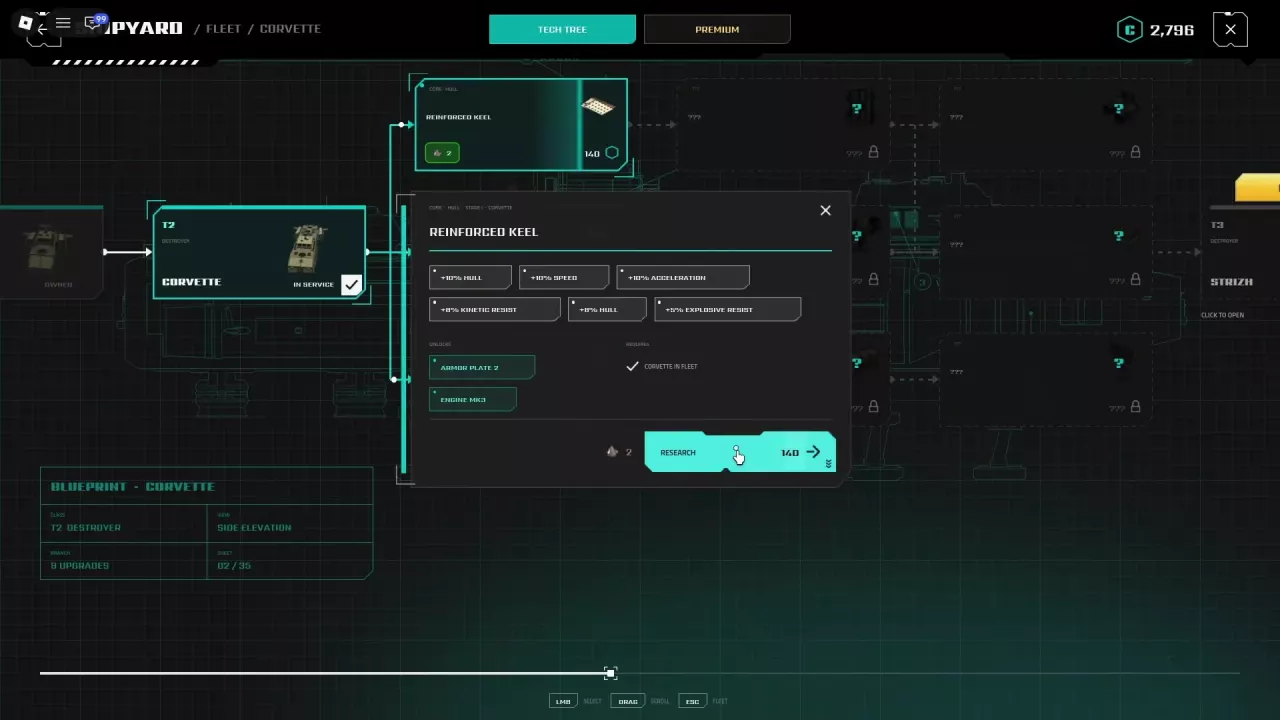
Find Skyships ship upgrades for Wasp, Corvette, Strizh and Berkut, including research costs, prerequisites, cargo bonuses, weapon unlocks and installation steps.
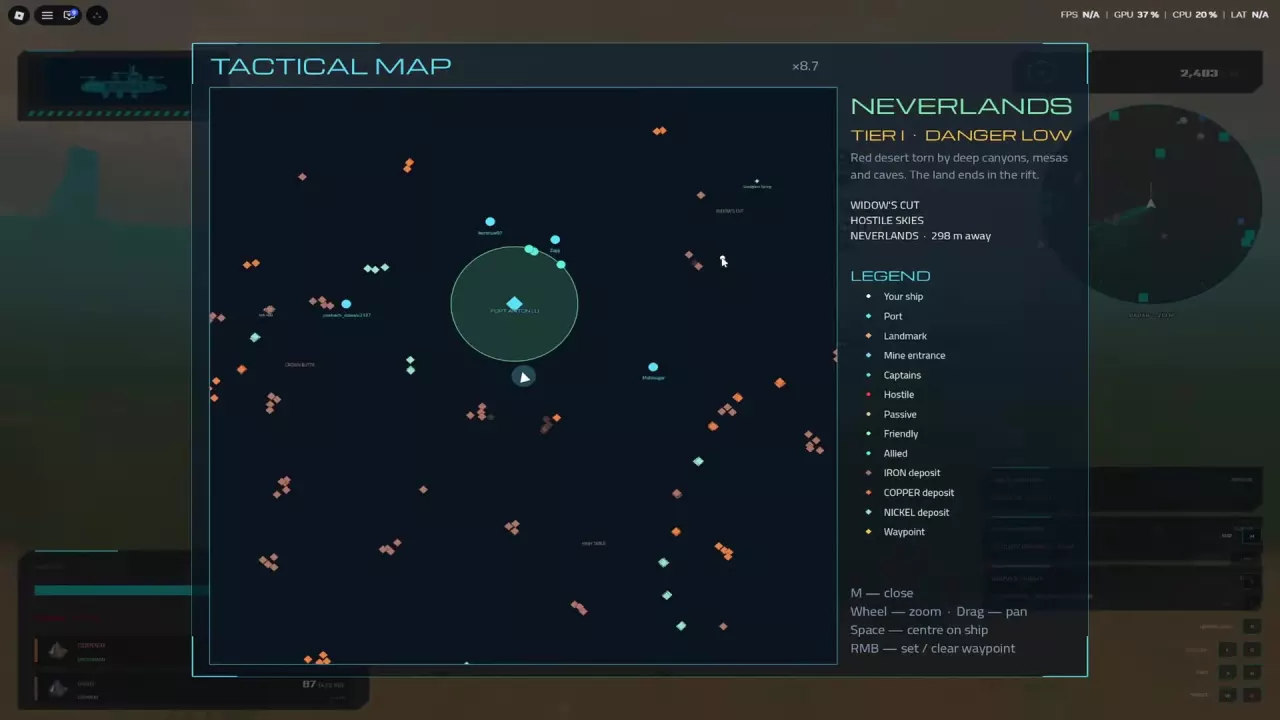
Read the Skyships Tactical Map, set a waypoint, find port services and dock at Fort Anton, Fort Meridian or Fort Cedars.
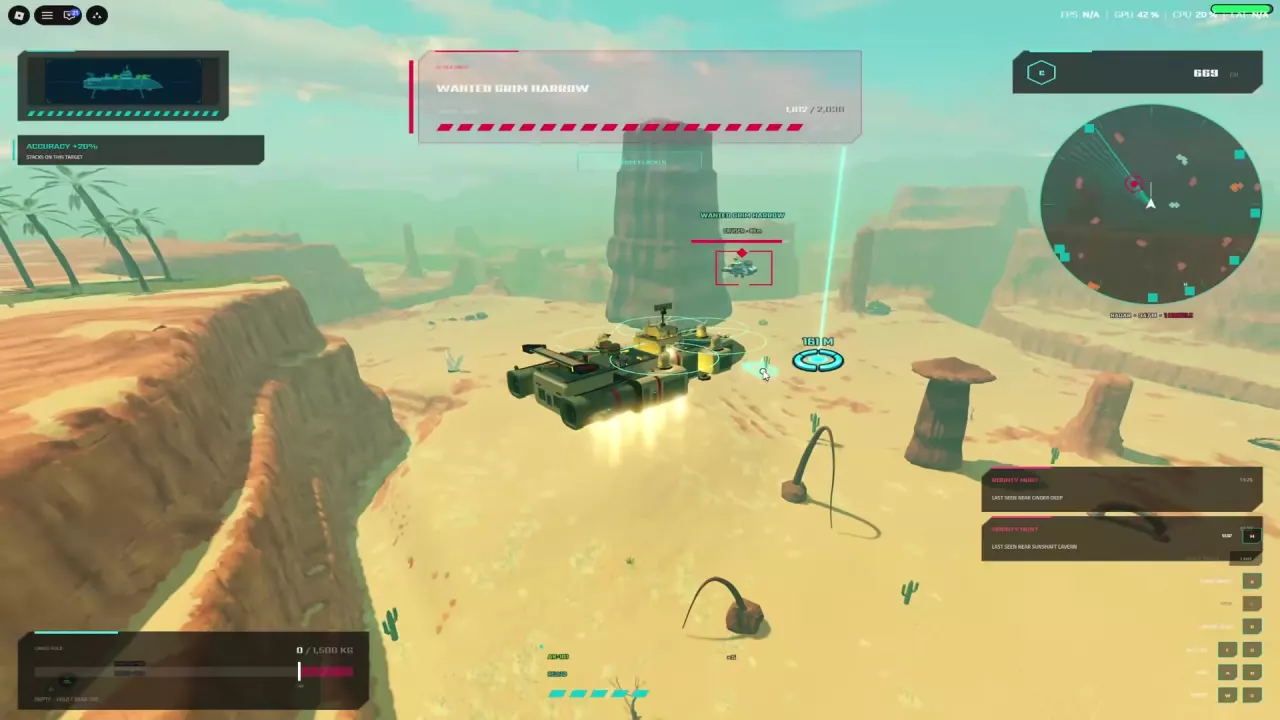
Learn Skyships targeting, fix range and view warnings, read combat bonuses, retreat from missiles, get free repairs, and find the T4+ PvP requirement.